An LVGL dev harness that runs on the MicroPython unix port.
Write Python that lays out an LVGL screen, save, and watch the canvas redraw in the browser. The same files run later on any board with LVGL bindings: design on a laptop, deploy to hardware unchanged. An agent drives the same canvas over MCP, so the GUI loop closes with or without a human in it.
[ ok ] private use · free for non-commercial use
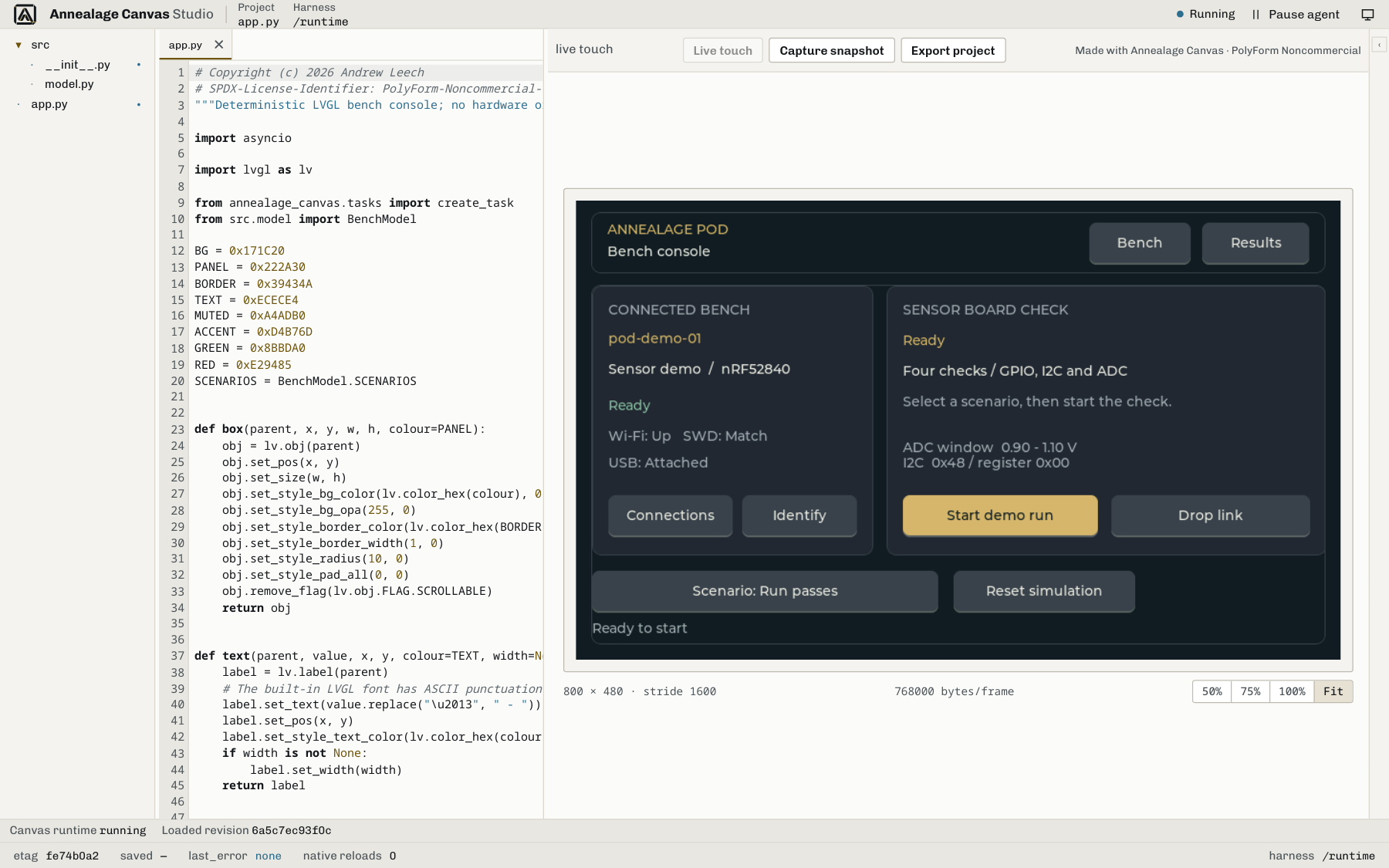
A live LVGL framebuffer in the browser.
Canvas serves the framebuffer over HTTP. In standalone soft-reload mode a re-run closes in under 10ms on a normal laptop. Managed mode restarts the native MicroPython process so new source loads cleanly.
The viewer takes browser-driven virtual touch: click the canvas and the coordinate is fed back as a real LVGL input event. Frame-rate readout and a reload counter sit alongside.
-
/reload
Re-runs
build_ui()and repaints; the only app contract is that one function. - touch Browser click → LVGL indev event at the tapped coordinate. No device needed.
- readout Live frame rate and reload counter in the viewer; redraw timing on demand.
One code path, two ways to run it.
SHEET 02 / STANDALONE · EMBEDThe harness is a single Python package. The same code runs on a laptop with no hardware in the room, or frozen into firmware for a real MCU. You do not rewrite the UI to move between them.
SDL + web viewer
Unix-port MicroPython renders LVGL through SDL and serves the framebuffer to the browser. No board attached. Design and iterate the layout entirely on the host, agent-driven or by hand.
Frozen into firmware, served over HTTP
Frozen into a firmware project as a library, the harness mounts its viewer and MCP endpoints onto the device's own HTTP server. You watch the real screen's framebuffer over the network, with the same viewer and the same MCP surface as standalone.
8 core tools, 23 catalog actions on the live canvas.
Register the running harness as an MCP server and an agent observes and drives the exact canvas you are looking at. Read-class actions keep working while you pause the agent to edit; write-class actions refuse until you unpause, so you never fight over the same file blindly.
The harness agent screenshots the canvas, inspects the layout tree, edits the source and taps a coordinate. Canvas Studio also provides managed OMP chat, approval-gated writes, source conflict handling, and snapshot review with comments tied to the exact source revision.
- screenshotCurrent framebuffer as an image.
- tapVirtual touch at a coordinate.
- find_widgetLocate a widget in the layout tree.
- set_sourceReplace the app source and reload.
- get_widget_treeWalk the full layout tree.
- get_display_infoResolution, colour format, reload count.
8 core tools · 23 catalog actions · SSE notifications. Full surface in the docs.
Canvas is in private use.
SHEET 03 / ACCESSThe Canvas product repository is private, so there is no public setup path for the harness. The Canvas docs describe the current harness, Studio and MCP surface; managed Studio is an internal trusted-code tool, not a public hosted service.